


Crucial MX500 1TB SSD Review: A Premium 2.5-Inch SATA Upgrade for Faster PCs and Laptops
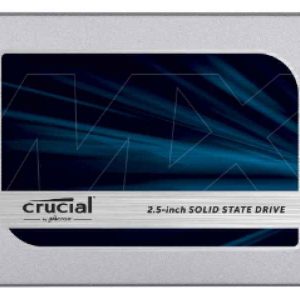
The Crucial MX500 1TB 2.5-inch SATA SSD is one of the most reliable upgrades for users who want to make an older laptop or desktop feel faster, smoother and more responsive without moving to an expensive full system replacement.
For everyday computing, Windows boot speed, app loading, file transfers, office work, student use, light creative work and general storage expansion, the MX500 remains a serious value choice.
Why an SSD Makes Your PC Faster →Why the Crucial MX500 1TB Still Makes Sense
The biggest reason to choose the Crucial MX500 CT1000MX500SSD1 is simple: it gives older PCs and laptops a major performance boost while staying compatible with the widely used 2.5-inch SATA format.
Boot times become shorter, software opens faster, background tasks feel lighter, and the whole machine becomes more comfortable to use.
Quick answer: the Crucial MX500 1TB is best for users who want a dependable SATA SSD for laptop upgrades, desktop storage, Windows performance, everyday productivity and long-term reliability.
Key Specifications
Crucial MX500 1TB vs Other Popular SATA SSDs
Below is a practical comparison for UK shoppers. Prices are guide ranges and may change depending on availability, retailers and storage market conditions.
| Image | Product | Type | Best For | Guide Price UK | ShoppyDeals Verdict |
|---|---|---|---|---|---|
| Crucial MX500 1TB | 2.5-inch SATA SSD | Balanced laptop and desktop upgrade | Approx. £60–£90 | Best all-round SATA upgrade for most users. |
 | Samsung 870 EVO 1TB | 2.5-inch SATA SSD | Premium SATA performance | Approx. £130–£150+ | Strong choice, but often more expensive. |
 | WD Blue SA510 1TB | 2.5-inch SATA SSD | Everyday storage and productivity | Approx. £70–£90 | Good alternative for general PC upgrades. |
 | Kingston A400 960GB | 2.5-inch SATA SSD | Budget storage upgrade | Approx. £45–£65 | Budget option, but MX500 feels more premium. |
Who Should Buy the Crucial MX500 1TB?
- Laptop users who want faster boot times and smoother everyday performance.
- Desktop users upgrading from an older hard drive.
- Students who need reliable storage for documents, browsing, apps and media.
- Home office users who want a more responsive Windows experience.
- Budget buyers who want a serious upgrade without paying for premium NVMe hardware.
Real-World Performance: What You Will Actually Notice
The Crucial MX500 1TB is not only about benchmark numbers. The real benefit is how your computer feels every day. Windows can start faster, browsers can open with less delay, documents load more smoothly, and basic multitasking becomes more comfortable.
If your computer currently uses a mechanical hard drive, moving to the MX500 can be one of the most noticeable upgrades you can make.
Internal Buying Guides from ShoppyDeals UK
Final Verdict
The Crucial MX500 1TB SATA SSD is a strong buy for anyone who wants a proven, practical and reliable storage upgrade. It is especially attractive for older laptops and desktops that still use 2.5-inch SATA drives.
For users who want maximum speed, an NVMe SSD may be better if the motherboard supports it. But for compatibility, reliability and everyday value, the MX500 remains one of the safest SSD choices in its category.
FAQ: Crucial MX500 1TB SSD
Is the Crucial MX500 1TB good for upgrading an old laptop?
Yes. The Crucial MX500 1TB is a strong upgrade for older laptops with a 2.5-inch SATA drive bay. It can make booting, browsing and app loading feel much faster than a traditional hard drive.
Is the Crucial MX500 faster than a hard drive?
Yes. A SATA SSD like the MX500 is much faster and more responsive than a mechanical hard drive, especially for boot times, software loading and general multitasking.
Is 1TB enough storage?
For most users, 1TB is a comfortable capacity for Windows, software, documents, photos, videos and a moderate game library.
Can I use the Crucial MX500 1TB in a desktop PC?
Yes. It can be used in a desktop PC with a SATA connection. Some cases may require a 2.5-inch mounting bracket depending on the drive bay layout.
Is the Crucial MX500 good for gaming?
Yes, it can reduce game loading times compared with a hard drive. However, for newer systems that support NVMe, a PCIe SSD may offer higher peak performance.
Is the Crucial MX500 better than cheaper SATA SSDs?
The MX500 is often considered a more premium SATA option because it is known for consistent everyday performance, reliability and strong brand reputation.
Should I buy SATA or NVMe?
If your PC supports NVMe, an NVMe SSD can be faster. If your system only supports 2.5-inch SATA drives, the Crucial MX500 is still a very good upgrade.
Does an SSD make Windows faster?
Yes. Replacing a hard drive with an SSD is one of the most noticeable ways to make Windows feel faster, especially during startup and when opening apps.