


WD Blue SN5000 1TB NVMe SSD Review – Fast PCIe 4.0 Storage for PC and Laptop Upgrades
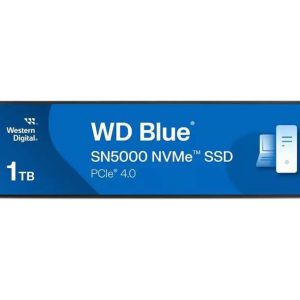
The WD M.2 1TB Blue SN5000 NVMe PCIe 4.0 x4 – WDS100T4B0E is a strong internal SSD upgrade for buyers who want faster boot times, smoother multitasking and better everyday PC performance without moving into the most expensive premium SSD category.
With 1TB of storage, a modern M.2 NVMe format and PCIe 4.0 support, the WD Blue SN5000 1TB SSD is ideal for laptops, desktops, students, home office users, creators and everyday shoppers who want a faster, more responsive system.
Why SSD Makes Your PC FasterQuick Verdict
The WD Blue SN5000 1TB is best for users who want a reliable, fast and affordable NVMe SSD upgrade. It is a smart choice for everyday performance, Windows speed, app loading, file transfers and general PC responsiveness.
Key Specifications
Why the WD Blue SN5000 1TB Is a Smart SSD Upgrade
A modern NVMe SSD can make a PC feel dramatically faster, especially if the system is still using an older hard drive or a slower SATA SSD. The WD Blue SN5000 is designed to improve daily performance where users notice it most: booting Windows, opening apps, loading files and switching between tasks.
For many buyers, this SSD offers a strong balance between speed, capacity and price. It may not be positioned as the most extreme gaming SSD, but it delivers the kind of responsive storage performance that makes a laptop or desktop feel cleaner, faster and more comfortable to use every day.
Responsive SSD Comparison Table
| Product | Image | Best For | Storage Type | Guide Price | Buyer Profile |
|---|---|---|---|---|---|
| WD Blue SN5000 1TB | | Everyday PC and laptop upgrades | PCIe 4.0 NVMe M.2 | Approx. £55–£85 | Best value upgrade buyers |
| Samsung 990 Pro 1TB with Heatsink |  | Premium gaming, PS5 and creator workloads | PCIe 4.0 NVMe M.2 | Approx. £85–£125 | Performance-focused buyers |
| WD Black SN770 1TB |  | Gaming and everyday high-speed storage | PCIe 4.0 NVMe M.2 | Approx. £55–£85 | Value gamers |
| Crucial P3 Plus 1TB | 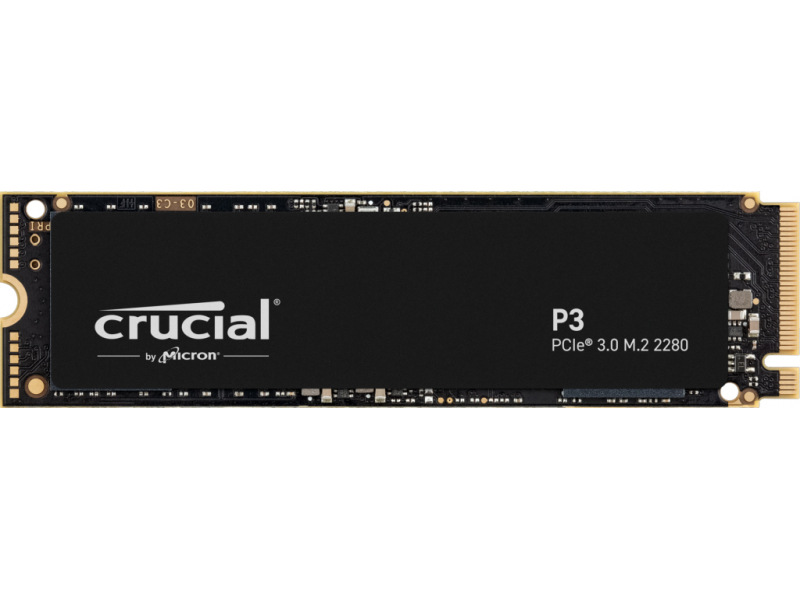 | Budget PC upgrades and storage expansion | PCIe 4.0 NVMe M.2 | Approx. £45–£70 | Budget users |
Who Should Buy the WD Blue SN5000 1TB?
Choose the WD Blue SN5000 1TB if you want a fast, modern and affordable SSD for a laptop or desktop upgrade. It is especially suitable for users who want better responsiveness, more storage space and smoother everyday performance without paying premium SSD prices.
Who Should Consider a Faster SSD Instead?
If you are building a high-end gaming PC, editing large 4K video projects or upgrading a PS5, a more premium drive such as the Samsung 990 Pro with heatsink may be a better match. For normal users, however, the WD Blue SN5000 offers a strong value-performance balance.
Internal SSD & Gaming Upgrade Guides
Frequently Asked Questions
Is the WD Blue SN5000 1TB good for everyday PC use?
Yes. The WD Blue SN5000 1TB is a strong SSD for everyday PC use because it improves boot times, app loading, file access and general responsiveness.
Is the WD Blue SN5000 better than a hard drive?
Yes. Compared with a traditional hard drive, the WD Blue SN5000 can make a system feel much faster, quieter and more responsive.
Is 1TB enough storage for a laptop?
For most users, 1TB is a comfortable amount of storage for Windows, apps, documents, photos, videos and several games.
Can I use the WD Blue SN5000 for gaming?
Yes. It can be used for gaming and can help reduce loading times. For high-end gaming builds, some users may still prefer a premium performance SSD.
Does the WD Blue SN5000 need a heatsink?
For many everyday laptop and desktop upgrades, a separate heatsink may not be necessary. However, airflow and system design can affect SSD temperatures.
Is the WD Blue SN5000 compatible with my PC?
You need an available M.2 NVMe slot and motherboard support for NVMe SSDs. Always check your laptop or motherboard specifications before buying.
Is PCIe 4.0 worth it for everyday users?
Yes, PCIe 4.0 can offer faster storage performance, but everyday users will mainly notice quicker loading, better responsiveness and smoother file handling.
Should I buy WD Blue or WD Black SSD?
WD Blue is usually better for value and everyday upgrades. WD Black is generally aimed more at gaming and higher-performance workloads.
Can this SSD make an old laptop faster?
Yes, if the laptop supports M.2 NVMe storage. Replacing an older drive with a modern NVMe SSD can significantly improve speed and responsiveness.
Is the WD Blue SN5000 1TB good value?
Yes. It is a strong value option for buyers who want modern NVMe performance, 1TB capacity and reliable everyday speed without premium pricing.